How to Relocate Your Base in Once Human: A Complete Guide
Mastering base relocation in Once Human is essential for strategic survival and resource optimization. This guide reveals the effortless process to move your entire sanctuary, ensuring you never lose a single crafted item.
In the vast, unforgiving open-world of Once Human, your base is more than just a collection of walls and a roof—it's your sanctuary, your workshop, and your command center. As you explore the post-apocalyptic landscape, you might stumble upon a location that whispers promises of abundant resources, better strategic positioning, or simply a more breathtaking view. The good news is, the game understands that wanderlust and practicality often go hand-in-hand, offering a remarkably painless way to pack up your entire operation and move it to greener pastures. This is a godsend, especially when you're knee-deep in gathering materials for that next big project, like crafting a powerful new firearm.
The Simple Steps to a New Home
Moving your base is, frankly, a piece of cake. The process is streamlined for player convenience:
-
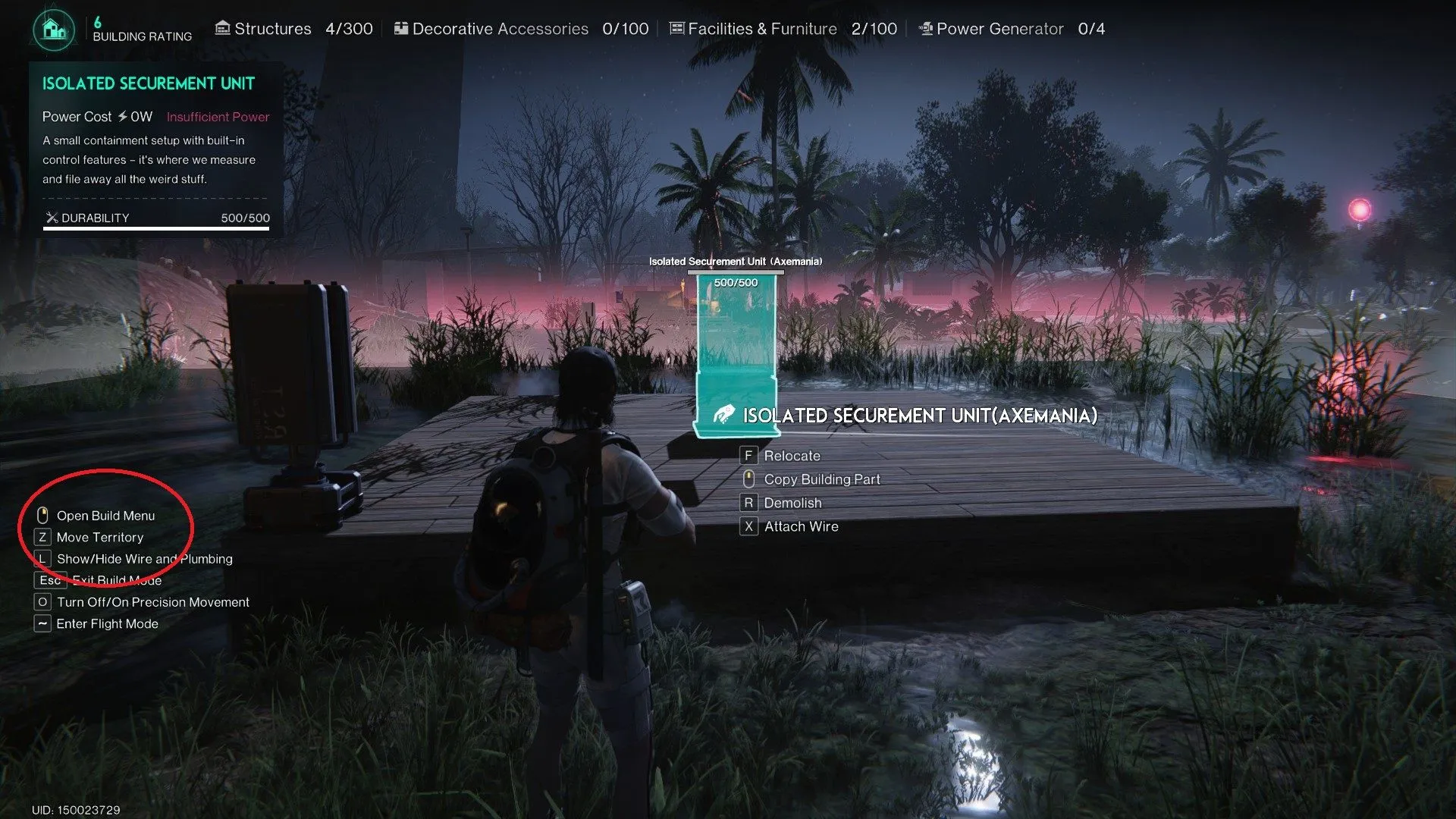
Enter Build Mode: Simply press the designated key (default is
Bon PC). -
Find Your Spot: Explore the world and find that perfect new location. Your character's gut feeling about a "good spot" is usually right!
-
Place Your Territory: With the new location selected, press the placement key (default is
Zon PC). If you're ever unsure about the controls, a quick glance at the prompts in the bottom-left corner of your screen will show you what's what.
The game is pretty generous here. In the early stages, relocating your territory costs you absolutely nothing. You have near-total freedom to plop your base down almost anywhere your heart desires, with only a few sensible restrictions—you can't build too close to major roads, enemy strongholds, or, of course, on top of another player's home.
Flexibility and the Bird's-Eye View
When you're in the placement phase, the game gives you some neat tools to get it just right. You can:
-
Adjust Height: Tweak the vertical positioning of your territory foundation to better suit uneven or rough terrain. No more bases floating awkwardly or sunk into hillsides!
-
Rotate Horizontally: Spin your planned territory to align with landmarks or optimize the layout.
-
Activate Flight Mode: For the ultimate planning perspective, you can enter a special flight mode. This gives you a stunning bird's-eye view of the area, allowing you to scope out resource nodes, potential threats, and the lay of the land before committing.
What Happens to All Your Stuff?
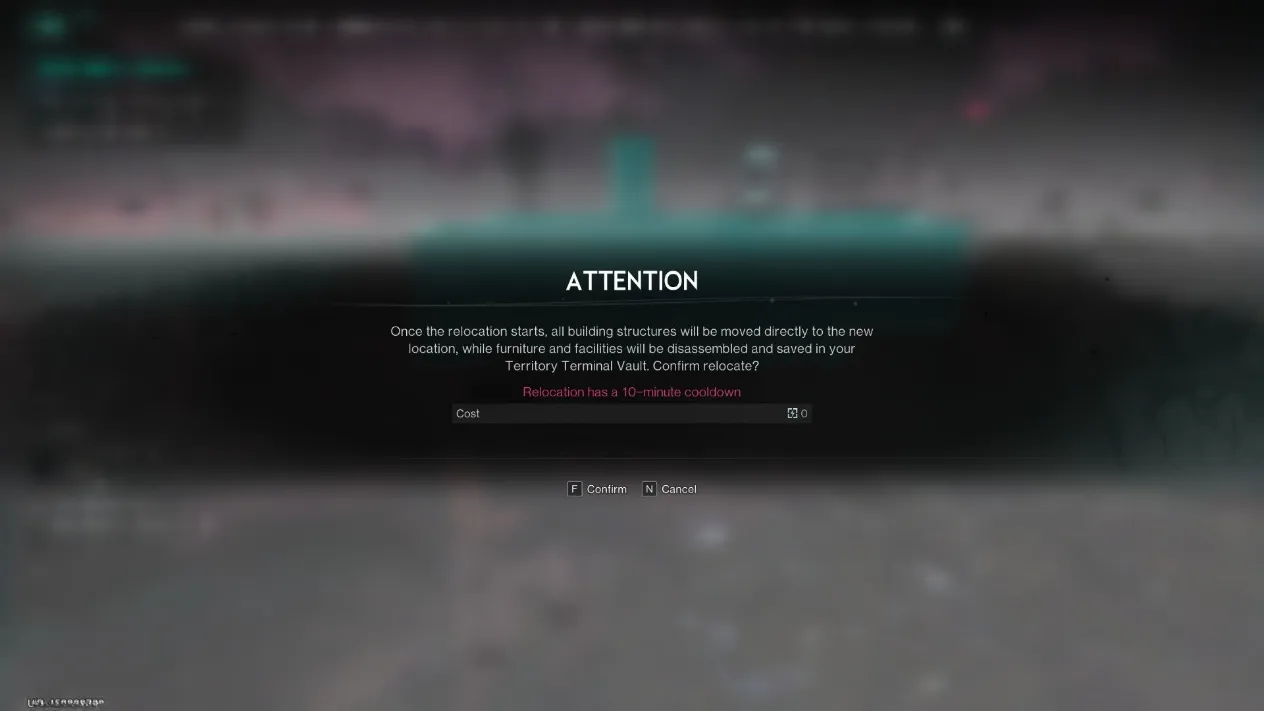
Now, here's the important bit that the game gently warns you about. The moment you confirm your new base location, a magical (and very practical) process begins. Every single piece of furniture, every workbench, every decorative item you've lovingly placed—it all gets automatically disassembled. But don't panic! Nothing is destroyed or lost. All these components are safely teleported and stored in your Territory Terminal Vault. Think of it as the world's most efficient moving company. You'll find all your belongings there, ready to be placed again in your new home. Early on, when your base is small, this is a non-issue. But later, when you've built a sprawling complex... well, let's just say you'll be spending some quality time with your vault and your rebuilding plans.
Strategic Considerations and Cooldowns
Relocation isn't something to be done on a whim forever. The game introduces a cooldown system to encourage thoughtful placement:
-
Initial Cooldown: After your first move, a short 10-minute timer begins before you can move again.
-
Late-Game Cooldown: As you progress and your base becomes more advanced, this cooldown can increase significantly—potentially up to a full 24 hours at higher levels. This means choosing a location becomes a major strategic decision. You'll want to be pragmatic and pick a spot with long-term potential.
There's also a quirky edge case to consider: world-hopping. If you decide to jump to a different server or instance, there's a slim chance another player has already claimed your dream spot. In that scenario, the game doesn't leave you hanging—you'll simply have to pick a new, unoccupied location. It's the post-apocalyptic version of finding out your apartment has been rented out from under you!
Ultimately, the base-moving feature in Once Human is a testament to player-friendly design. It respects your time and investment while empowering your freedom to explore and adapt. So go ahead, chase that waterfall view or that rich mineral vein. Your home can follow.